Find Out What Your Indoor Humidity Sensor Is Measuring
Compare two positions, record temperature alongside humidity, and find a place where an inexpensive sensor answers a clear question.
In this article
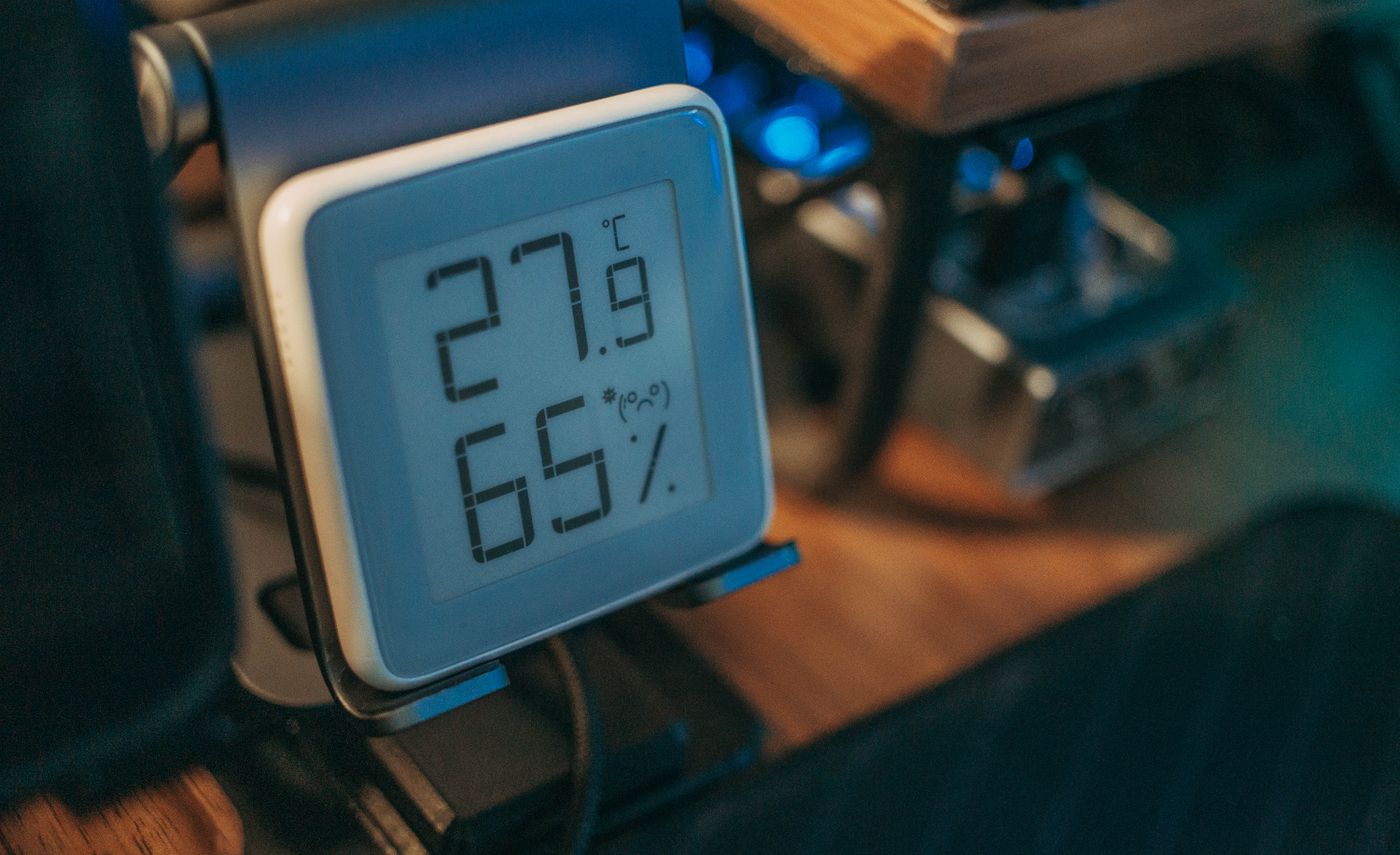
The small display by the bookshelf reports one number. Move it to the window ledge and it reports another. Move it again, right next to a different meter, and the two displays still disagree for a while. These are familiar moments with an indoor humidity sensor, and none of them by itself identifies a fault. The temperature at the sensor can change with its surroundings. Air can move past one shelf far more readily than another. The sensor itself can take time to respond.
Decide what you want the display to tell you, then give it an ordinary place appropriate to that question. This is a placement exercise for a household gadget, with no attempt to judge health, building safety, or compliance. Use a small record of location, temperature, and humidity, and make one controlled move. The most valuable result may be learning that the shelf and the window were different places all along, rather than persuading two numbers to match.
Read the units and the question together
Most ordinary indoor displays show relative humidity as a percentage. Relative humidity depends on the amount of water vapor in the air in relation to what air can hold at the same temperature. If air with the same amount of water vapor gets warmer, its relative humidity can be lower; if it grows cooler, the relative humidity can be higher. Vaisala's guidance discusses how temperature differences and placement can affect humidity measurement. A temperature reading beside the percentage is therefore important context, especially when comparing one sunny position with a shaded one.
Check what else the display reports. Some sensors show a previous high and low, a trend arrow, or data from some other connected sensor. An app might show a recent reading without clearly indicating its age until you open the detailed view. Find the current reading and check the label. You can make a lively collection of measurements from a single number that last changed several hours earlier. That will only confuse you if the question is about what happened after you moved the device.
Write the question in a way a location can answer. For example, “How does the area beside the bookcase change between morning and afternoon?” is a question about a particular place. “What does the whole room do?” is broader. A single sensor can give an ordinary reference at one spot. It cannot prove that every cupboard, wall, or shelf follows the same pattern. Choose a location representative enough for your everyday purpose, or emphasize the local conditions if you deliberately investigate one spot.
Start with a quiet reference location
Choose an ordinary shelf or table away from direct sun, a nearby heat source, or a strong stream of air. Give the sensor the kind of orientation and spacing its manufacturer recommends. Do not lean it against a surface that is noticeably warmer or cooler if you want it to represent the nearby air. A spot in a tightly closed box can be the right place to investigate the box, but provides little evidence about the open room. Confirm that the chosen position is stable and out of the way.
Record the room activity that may matter. An open window, several people entering, or a fan running might explain a broad change. You do not need to log everything you hear and see. One line that says “window closed, lamp beside sensor off, clear afternoon” can describe a useful comparison. Keep the time with the readings. Two observations taken hours apart can differ even when the location stayed the same. That is one reason to return to the reference location after testing the alternative.
Wait for the device to respond according to its documentation, and observe what actually happens. Readings from a sensor just held in a hand or moved between two differently warmed surfaces can take time to settle. Avoid choosing a universal waiting period from somebody else's device. Look for a reading that has stopped changing rapidly under reasonably steady conditions. If you are interested in a rapid event instead, write down the sequence rather than silently substituting the later stable value for the earlier moment.
Change one part of the position
Pick a second location with a clear reason. A window ledge can show the contrast between shaded air and a position influenced by sun or the window surface. A shelf near an air outlet can show a change when air moves past it. A location behind a row of boxes can show whether air circulates differently there. Describe the location well enough to repeat it. “On the left side of the desk, near the window” is more useful than “second position” a week later.
Carry the sensor to the second spot and avoid warming it with your hands longer than necessary. Let it settle as appropriate. Record temperature and relative humidity together, noting whether room conditions changed during the move. Return it to the first spot when you can and repeat the observation. If the first spot changed almost as much, the room may have changed over time. Try again under more comparable circumstances rather than interpreting every difference as a property of a particular shelf.
Do not expect direct sunlight to act like a normal reference measurement. A display or enclosure may warm beyond the surrounding air when illuminated. The temperature reading may be real for the device's immediate location and still fail to describe the surrounding room well. If the position matters in its own right, record it as a sun-exposed condition. For an everyday reference away from that effect, move the sensor and compare when both locations have been shaded or the sun has passed.
Compare devices side by side before drawing conclusions
If two devices show different values, place them in the same ordinary location where both can respond to the surrounding air. Leave room around each and use a reasonable settling period. Read the current values at the same time. Compare the conditions the manufacturer says each unit can handle and its stated accuracy or limitations where available. A small difference may be consistent with both devices being ordinary instruments with limited resolution and accuracy.
Look at whether the difference is consistent. If one device reports a somewhat higher value in a series of side-by-side checks, record that possibility when comparing its readings with the other device's. A quick household check does not substitute for a proper calibration. Avoid changing an offset just to make several displays resemble one another without knowing the intended control and reference. An apparent improvement in one room could introduce an error elsewhere. For everyday trends, using the same device and position can be more interpretable than combining many unverified readings.
Some readings respond to location sharply while another instrument updates slowly or reports averages. In a connected app, check the time of the last update. If two meters display the same timestamp only after the move, a brief mismatch may be a matter of timing. Do not use the moment of greatest difference as the whole story. Compare the observations before the move, during the transition if relevant, and after each device had a fair chance to respond.
Let an arithmetic example stay modest
Suppose the reference shelf reports 21 degrees and 48 percent, while the sunny position reports 25 degrees and 40 percent under otherwise similar conditions. Neither pair tells you, by itself, that water vapor left the room. The warmer position can display a lower relative value at an unchanged amount of vapor. Treat the difference as a reason to try a shaded repeat, compare at more similar temperatures, and look at what actually changed.
If the two positions are a cupboard and an open table, ask a different question. Air in an enclosed area may change with the opening of its door and with the material stored there. Take an ordinary reading before and after a move without confusing a door-opening event with the background state you want to observe. Measurements made for serious concerns need appropriate instruments and expertise. This simple exercise only gives you a more honest way to use the numbers from an everyday gadget.
Put the gadget somewhere its number makes sense
Keep a small note of the final position and the question it is meant to answer. You can note that the device is on a shaded shelf used as a room reference, or inside a particular cabinet to observe its local conditions. In either case, give the record its context. A useful graph has a clear starting place and condition. When the sensor moves to another shelf, mark the move instead of combining both locations as if the environment had not changed.
Review the simple comparison a few days later. If conditions vary with time, compare a morning or evening reading at the same spot before deciding whether the earlier move changed anything important. A readable note with a handful of observations can be sufficient. You will then know which changes were observed near the sensor, which seemed to follow the room, and which were really delays or differences between instruments. A percentage becomes more useful once it has a place and a temperature beside it.