Check What a Portrait Effect Changed Before Sharing
Compare an original and an edited phone portrait to tell background treatment, lighting changes, and changes to a person’s appearance apart.
In this article
Two photographs of yourself can look alike from the corner of a screen. Enlarge them and you may see that one has a softer background, a different color in the shadows, and a face that looks subtly unfamiliar. These changes can arrive from settings grouped together in a camera or sharing app. A title that promises an appealing portrait does not tell you which objects or features changed. Before you decide where to use the picture, compare it with a version you know and look specifically at the areas the effect could be changing.
A casual portrait can be expressive. A family picture intended to tell someone what a room or person looked like has a different purpose. A portrait used to show a hairstyle or the fit of glasses has its own needs. Being able to distinguish a reduction in distracting background information from a retouched face lets you make those decisions deliberately. You can learn a great deal from one person, one background, and a plain capture made beside the test version.
Make a comparison with an ordinary starting point
Choose a test scene that does not place anyone on display without their agreement. Use yourself or someone willing to participate. Start with one person against a background you can recognize. A shelf with straight divisions and a chair near the subject can make it easier to notice whether an effect spread beyond its intended area. Avoid putting private documents, labels, or unrelated people behind the subject. This is a comparison exercise. The surrounding items are reference points rather than material you need to share.
Take a regular photo in a steady position with even light. Review the camera's active settings and choose reasonable ordinary settings to use as a baseline. A regular phone capture can still include the camera's own processing. The baseline is simply the known capture you compare the optional effects against. Keep it. A preserved image lets you try different effects or select an unaltered comparison later without having to repeat a moment that no longer exists.
Compare one change at a time where the device makes that possible. Apply a background effect to a copy, take a second photo with a chosen portrait setting, or use a supported slider to see how strength affects one preview. Match the camera position and the person's pose when taking separate pictures. A small change in distance, angle, or expression can make the face look different even if no software retouched it. A comparison across nearly identical views gives you a more useful basis for describing what happened.
Name the parts of the picture before comparing them
Inspect the background first. A depth effect can soften a background and leave a foreground subject relatively crisp. Look at the places where the two meet: hair, a hat brim, an earring, or the edge of eyeglasses. These areas can be hard to classify accurately. A gap between two strands of hair may stay sharp while its surroundings blur. A pattern visible through clear glasses may disagree with the rest of the effect. A noticeable boundary is a reason to look more closely rather than a reason to assume every feature was changed.
Next look at tone and color. A filter can warm the whole picture, alter shadows, or make a photograph appear a little brighter. Ask whether the same change seems to apply to the chair, the wall, and the person. An adjustment can still alter how somebody appears without moving facial features. Lighting matters when you intend to convey the real color of an object or reproduce a detail for comparison. If color is important, keep a recognizable baseline and describe the setting of a filtered version as a choice, rather than presenting it as a neutral comparison.
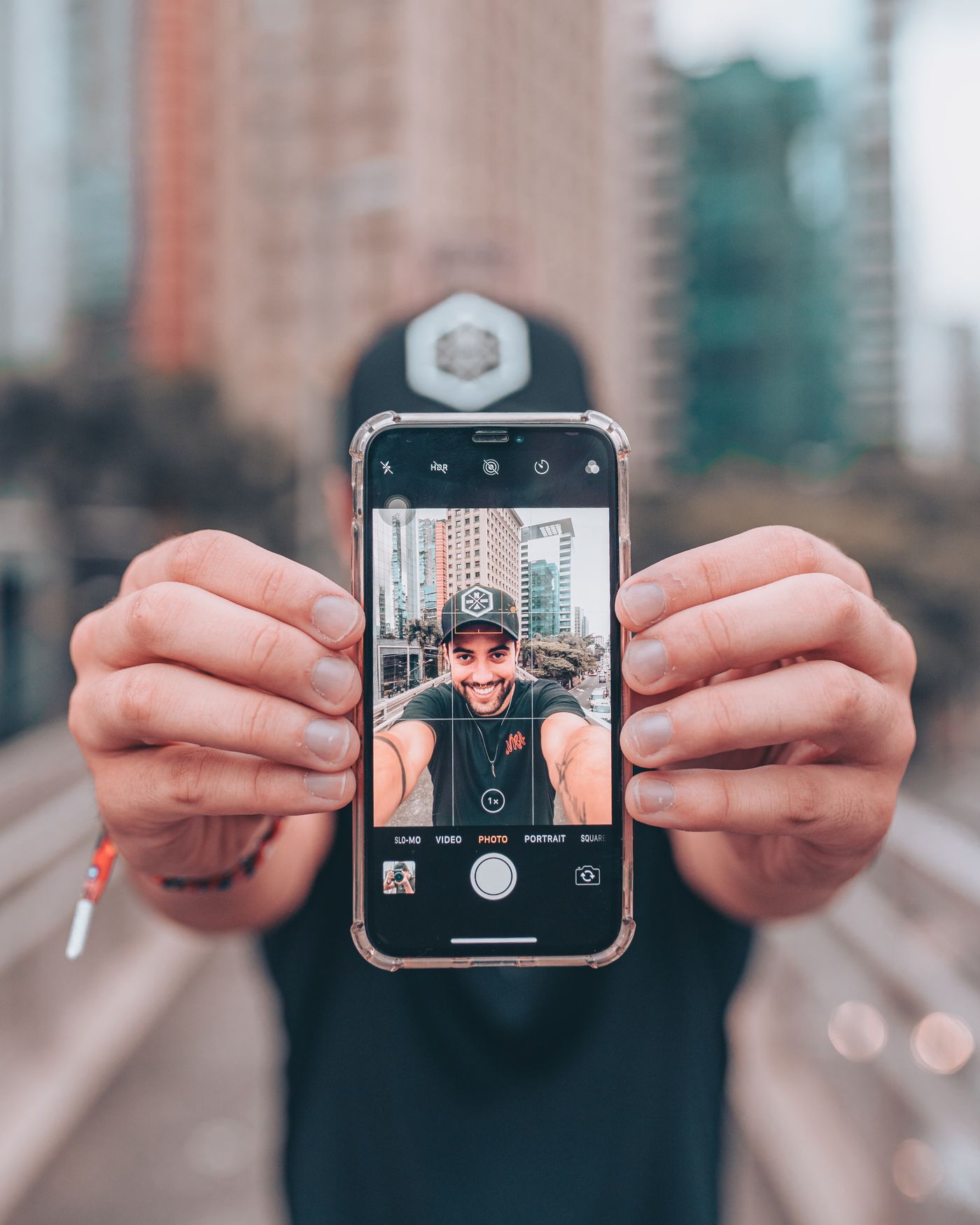
Finally inspect the person. Compare the shape of the face, edges around eyes and eyebrows, visible texture, and any distinguishing details. A face-specific effect can act differently on those parts than on the wall. Google’s Pixel Camera documentation describes selfie face-retouching options on supported devices; check the actual behavior of the app and model you have. Settings and feature names vary. An effect shown apparently only in the preview may behave differently when the file is saved, and an effect applied only on capture may not have been obvious while framing the image.
Use reference details without grading the person
Check the treatment in terms of what changed, instead of asking whether one person looks better in the altered version. You can say that a filter reduced fine texture on the face, changed the color of a shadow, or softened a background line. A description like “an effect removed this distinctive detail” gives you something you can verify. Asking whether the subject looks improved invites personal judgments that are not needed to make the picture useful.
Look at a small and a large view. At thumbnail size, you might notice only that the face stands out better from the room. At a larger size, you may see that one edge of a pair of glasses softened with the background. Compare the original and the altered copy at the same scale and display conditions. Your impression can change if one is viewed full-screen while the other is visible in a small panel. If the differences are hard to describe, reduce the optional effect or keep the known version for the task in question.
Try another pose or background when the feature will be used regularly. A portrait effect may separate a still subject against a simple wall more easily than it separates a subject wearing a patterned scarf against a similar backdrop. A setting that works in one test is not a promise about every picture. Learn which situations draw your attention to defects: a small overlapping accessory, more than one person in the frame, or a clear surface with reflections. Then review those areas first before using that effect again.
Let consent and purpose govern what you share
Ask before applying a noticeable appearance change to a portrait of somebody else that you intend to share. It is reasonable for the subject to agree to one picture and prefer a different version for publication. Show them the edited version they would actually receive or approve, including any crop. A selected copy can carry changes that a simple description of the original doesn't capture. If there are multiple people in the image, think about who is affected by the choice and whose expectations need checking.
Match the copy to the situation. If you are showing a haircut, glasses, or makeup, use a picture where the relevant detail is trustworthy. If you are sharing a stylized portrait as a personal creative work, describe the treatment where it affects how someone could understand the picture. A soft background is a common style choice and may be obvious. A substantially altered face or an edit that changes who or what appears present is more likely to benefit from a clear explanation.
Keep the original where you have a legitimate reason to do so and where it belongs. Save altered versions using ordinary controls and identifiable names if your device allows you to retain both. Avoid making the edited copy the only record when the original has value. A platform may offer a reversible edit inside its own library, but a copied or posted image can behave differently. Inspect the final outgoing file rather than assuming a separate application has preserved all the steps or explanations that mattered to you.
Try a group version only with people who are comfortable taking part. Ask whether the effect treats different positions consistently, then show everybody the copy you intend to keep or share. A setting that looks discreet on the person nearest the camera can make a different change to someone farther away. Keep that difference in the final choice. A group picture works best when its editing reflects what the participants reasonably agreed to, without needing to expose the test copies.
Make a practical decision before the next shot
Write down the combination that worked. You might prefer to leave face retouching off for a group picture and create one clearly stylized version afterward. You might find that moving the subject a little away from a busy background gives you the clarity you wanted without an aggressive effect. Try the simpler variant first when you are chasing one specific improvement. Better light or a more intentional backdrop can improve the composition while leaving more choices available at export time.
When you cannot confidently tell what changed, use the baseline for any factual or identification purpose and reserve the altered version for a use that tolerates the uncertainty. Ask a willing person to compare the versions and describe which features appear different. If their answer is reasonably clear without being told what setting you selected, you have a practical guide to what another viewer might notice. The useful question before sharing is whether the picture serves its stated purpose and keeps faith with the people it shows.